Signing on to FACTS

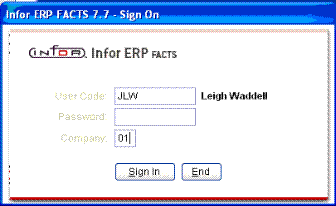
Users sign onto the system through a FACTS Sign On Screen.


Logging into FACTS

Simply enter your

  • User Code    
  • Password
  • Company Code
  • And then press Enter on the keyboard or click the Sign In button.)
image\FACTS7signon.gif


Exiting the Sign on Screen

There are several ways to exit the Sign On Screen. You can

  • Press F4 at the User Code field
  • Press Esc
  • Click the End button.

Additional functionality

In Sign on Screen, System Administrators, local FACTS personnel and other technical users can still get to the INSTALL menu and the BASIC prompt by clicking on the Infor® logo.

Click on the logo. In the entry prompt that appears, type

 or


image\viewupw.gifSee also Navigating FACTS